



The 1xBet iOS app gives Filipino users mobile access to sports and casino sections. Players can follow events, place pre-match wagers, use live betting, and open casino games. The interface adapts to iPhone and iPad screens. Account functions, PHP transactions, bet history, bonuses, and support remain accessible from one mobile platform.
App Store availability depends on the country assigned to the Apple Account. Users who cannot locate the application can use the official mobile website or add its shortcut through Safari. Installation should always begin from the official platform or a verified App Store page. The service is restricted to adults permitted to gamble under applicable rules.
Why Use 1xBet App on iOS in the Philippines?
The 1xBet iOS app is designed for users who manage wagers from an iPhone or iPad. Its compact interface places sports, live markets, casino games, account controls, and payment functions within a touch-focused layout. Filipino players can view balances in PHP when that currency is selected during registration.
Mobile access is practical during live matches because markets and prices can change quickly. The app reduces repeated browser navigation and keeps the bet slip available beside event listings. Push alerts may provide updates about match starts, settled wagers, account activity, and active promotions.
The application also supports live streams for eligible events. Streaming access can depend on location, account status, internet speed, and prior wagering requirements. Users can follow statistics and markets without opening several browser tabs.
Face ID or Touch ID can simplify account access on supported devices. Biometric authentication does not replace a strong password, verified contact details, or Apple Account security. It provides an additional local login mechanism on the device.
Key advantages include:
- Stable operation through an application developed for Apple devices.
- Access to pre-match and in-play sports markets.
- Mobile viewing of selected live broadcasts and match statistics.
- Casino, live casino, and instant-game access.
- PHP account management for eligible Philippine profiles.
- Push notifications for selected events and account updates.
- Face ID or Touch ID support on compatible devices.
- Faster navigation than repeated browser-based sign-ins.
- Saved preferences and a mobile-formatted betting slip.
- Direct access to deposit, withdrawal, and verification sections.
| Function | Native iOS app | Safari browser |
| Installation | Downloaded through App Store | No conventional installation required |
| Home-screen access | Dedicated application icon | Website shortcut can be added |
| Updates | Managed through App Store | Applied automatically on the website |
| Push notifications | Available for supported functions | More restricted |
| Biometric login | Supported on compatible builds | Depends on browser and account settings |
| Storage use | Approximately 260 MB | Minimal local storage |
| Regional availability | May depend on App Store region | Official site remains the main alternative |
| Interface | Built for iPhone and iPad | Responsive mobile website |
| Live betting | Full access where permitted | Full browser-based access |
| Recovery after deletion | Reinstall through App Store | Open the official site again |
Users researching how to download 1xBet on iPhone Philippines should check the App Store first. The PWA route is suitable when the regional store does not display the native application.

1xBet iOS App Rating & Latest Version
The verified Nigerian App Store listing displays a 3.4/5 rating from approximately 3,700 reviews. Ratings can differ between regional listings because each store may show a separate review history. A universal 4.7/5 score cannot be confirmed for every country.
The same listing identifies 1XCorp N.V. as the developer. Its displayed application size is 259.7 MB. The app is categorized under Sports and carries an 18+ age rating.
Version 255.0 was published on June 4, 2026. The release notes describe minor improvements and updates. Earlier 2026 releases included versions 253.0 and 251.1, with changes focused on application improvements and bug fixes.
| App detail | Verified information |
| Current listed version | 255.0 |
| Release date | June 4, 2026 |
| Developer | 1XCorp N.V. |
| Listed size | 259.7 MB |
| App Store category | Sports |
| Age rating | 18+ |
| Displayed rating | 3.4/5 in the Nigerian listing |
| Supported languages | English and 50 additional languages |
| Minimum operating system | iOS 15.0 or iPadOS 15.0 |
The 1xBet app iOS version history shows regular maintenance releases. Recent notes do not identify major interface changes, new betting modules, or separate streaming upgrades. Users should therefore read the App Store release notes before each update rather than assuming every version introduces new functions.
User reviews vary. Some users value mobile event access and live wagering, while others report concerns involving navigation, verification, search results, and account restrictions. App Store feedback should be considered alongside the official terms, KYC rules, and payment conditions.
The 1xBet iPhone app can update automatically when App Store automatic downloads are enabled. Manual updates are available through the profile section of the App Store.
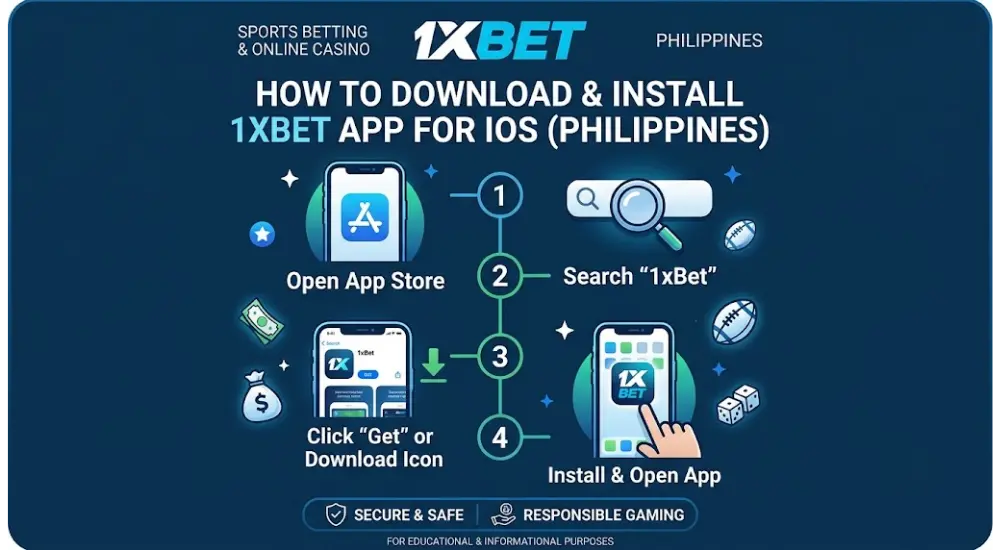
How to Download & Install 1xBet iOS App
The 1xBet iOS download process depends on regional availability. Apple devices do not use Android APK files. The native application must come from the App Store or another installation route explicitly supplied through the official platform.
The official download page directs iPhone users to the App Store. It also presents a Safari home-screen shortcut as an alternative when a native listing is unavailable. Users should not install unknown configuration profiles, certificates, or files received through messaging services.
Native App Store Installation
- Open the official 1xBet mobile download page in Safari.
- Select the iOS download option.
- Confirm that the link opens Apple’s App Store.
- Check the developer name before installation.
- Tap Get and complete Face ID or password verification.
- Wait until the application finishes downloading.
- Tap Open from the App Store page.
- Select login or registration.
- Enter the registered phone number, email, or account ID.
- Confirm the account currency before making a transaction.
- Open the security settings and activate available protection tools.
- Review payment methods displayed inside the Philippine cashier.
The download requires approximately 260 MB before temporary installation data is considered. Keeping at least 500 MB of free space can prevent update errors.
Alternative Installation Methods
| Method | Source | Main requirement | Updates | Suitable situation |
| App Store | Verified Apple listing | Supported Apple Account region | App Store updates | Native application is visible |
| Safari PWA | Official mobile website | Safari and internet access | Automatic web updates | App is absent from the local store |
| TestFlight | Official invitation only | Valid invitation and TestFlight | Time-limited beta updates | Official testing access is offered |
| Browser access | Official website | Any current browser | Automatic | No installation is preferred |
TestFlight builds should only be installed through an invitation published by the official service. Beta applications can expire and may contain unfinished functions.
Installation Safety
- Confirm the domain before selecting the download button.
- Check the displayed developer name in the App Store.
- Do not install an iOS application advertised as an APK file.
- Reject unknown enterprise profiles or device-management certificates.
- Never share Apple Account passwords or one-time codes.
- Enable two-factor authentication for the Apple Account.
- Use a unique password for the betting account.
- Avoid installation and payments through public Wi-Fi.
- Review requested permissions after installation.
- Keep iOS and Safari updated.
Regional restrictions can change without notice. A 1xBet download iOS link that works in one country may not open the same listing in another country.
Step-by-Step Apple ID Region Change Guide
Changing the Apple Account region affects subscriptions, store credit, payment methods, purchases, and content availability. It should not be treated as a routine shortcut. Users should only select a region where they can provide truthful billing information and satisfy Apple’s requirements.
Apple states that users must spend their remaining account balance and cancel subscriptions that prevent a region change. Pending refunds, pre-orders, rentals, memberships, and Family Sharing participation may also block the process. A valid payment method can be required for the selected country.
Preparation
- Spend the remaining Apple Account balance.
- Cancel subscriptions that block a country change.
- Wait until the current subscription period ends.
- Complete pending pre-orders, rentals, or refunds.
- Download important purchased media beforehand.
- Leave Family Sharing when it prevents the change.
- Prepare a valid payment method and billing address.
- Confirm that the intended application exists in the selected store.
Region Change Steps
- Open Settings on the iPhone or iPad.
- Tap the Apple Account name.
- Select Media & Purchases.
- Tap View Account.
- Complete authentication when requested.
- Open Country/Region.
- Tap Change Country or Region.
- Choose an eligible country.
- Review Apple’s terms and conditions.
- Tap Agree twice.
- Enter valid payment and billing information.
- Save the revised account details.
- Open the App Store.
- Search for the official application.
- Verify the developer before downloading.
Apple may not offer None as a payment option. The available payment choices depend on the selected region, existing subscriptions, and account status. Apple advises users who do not want to provide a payment method to wait until they are physically present in the new country before creating another account.
| Problem | Likely cause | Practical action |
| Region button is unavailable | Active subscription | Cancel it and wait for expiration |
| Remaining credit blocks change | Store balance is not zero | Spend the balance or contact Apple |
| Payment method is rejected | Method is invalid for that region | Use an accepted regional method |
| Family Sharing warning appears | Account belongs to a family group | Leave the group before retrying |
| App remains unavailable | Listing is absent in that store | Use the official PWA |
| Previous purchases disappear | Content differs by country | Redownload content before changing |
| Subscription price changes | Regional pricing applies | Review costs before confirming |
Returning to the Philippines region may require another billing update. Previously downloaded applications can remain installed, but updates may depend on the store where they were obtained.
1xBet PWA Alternative for iOS
The 1xBet PWA provides home-screen access through Safari without a conventional App Store installation. It opens the mobile platform in a standalone browser window and uses the current web version.
How to Add the PWA
- Open Safari on the iPhone or iPad.
- Enter the official website address manually.
- Confirm that the page uses HTTPS.
- Log in or create an eligible account.
- Tap the Share icon.
- Scroll to Add to Home Screen.
- Edit the shortcut name when required.
- Tap Add.
- Open the new icon from the home screen.
- Allow only the permissions needed for operation.
The PWA avoids an Apple Account region change. Website updates appear automatically because the interface is loaded from the server. Local storage use remains lower than the native application.
| Feature | 1xBet PWA | Native iOS app |
| App Store required | No | Yes |
| Region change required | No | Sometimes |
| Installation size | Minimal | Approximately 260 MB |
| Automatic platform updates | Yes | Through App Store |
| Home-screen icon | Yes | Yes |
| Push notifications | Limited by browser support | Broader support |
| Face ID access | Depends on browser credentials | Supported where enabled |
| Offline operation | Very limited | Limited |
| Live betting | Available with internet | Available with internet |
| Casino access | Browser-based | Application interface |
| Removal | Delete shortcut | Uninstall application |
PWA Advantages
- No App Store search is required.
- No regional store adjustment is required.
- Storage consumption remains low.
- Updates do not require manual downloads.
- Safari uses Apple’s standard browser protections.
- The shortcut opens directly from the home screen.
- Sports and casino sections remain accessible.
PWA Limitations
- Push notifications may be restricted.
- Repeated authentication may occur.
- Browser data deletion can remove saved sessions.
- Performance depends heavily on Safari and network quality.
- Full-screen behaviour may differ from the native application.
- Some device-specific functions may be unavailable.
- Background activity remains limited.
The 1xBet iPhone PWA is suitable for users who need direct access without changing Apple Account settings.
System Requirements & Supported iOS Devices
The currently verified App Store listing requires iOS 15.0 or later for iPhone. It requires iPadOS 15.0 or later for iPad. The application also supports Apple silicon Mac devices running macOS 12.0 or later, although the listing is not verified for macOS use.
Older official pages may refer to iOS 12 compatibility. The live App Store listing should take priority because requirements can rise after new releases.
Recommended Configuration
- iOS 15 or later.
- iPadOS 15 or later.
- At least 500 MB of free storage.
- A stable Wi-Fi, 4G, or 5G connection.
- Current Safari and App Store versions.
- Face ID or Touch ID for biometric access.
- Two-factor authentication for the Apple Account.
- Sufficient battery charge during live streaming.
- Updated device security patches.
- At least 2 GB RAM for routine operation.
| Device group | Native app status | Performance notes |
| iPhone 6s and 6s Plus | Possible with iOS 15 | Slower loading and limited battery efficiency |
| iPhone SE, 1st generation | Possible with iOS 15 | Small screen restricts market visibility |
| iPhone 7 and 7 Plus | Supported with iOS 15 | Acceptable for standard betting functions |
| iPhone 8 and 8 Plus | Supported | Adequate for streams and casino games |
| iPhone X and XR | Supported | Better screen space and biometric access |
| iPhone XS and 11 series | Supported | Stable general performance |
| iPhone 12 and 13 series | Supported | Strong streaming and live-market performance |
| iPhone 14 and 15 series | Supported | Fast loading and efficient processing |
| iPhone 16 series and newer | Supported | Suitable for current iOS releases |
| iPad 5th generation | Supported with iPadOS 15 | Larger betting and casino layout |
| iPad 6th generation and newer | Supported | Suitable for live streams |
| iPad Air 2 | Possible with iPadOS 15 | Older processor may load games slowly |
| Newer iPad Air models | Supported | Strong multitasking performance |
| Compatible iPad Pro models | Supported | Large display suits simultaneous statistics |
| Current iPad mini models | Supported | Compact format with adequate screen clarity |
Device support can change after an application update. Users should check the compatibility line on the App Store page before selecting Get.
1xBet iOS App Features & Performance
The 1xBet iOS app combines sports betting, casino functions, transaction tools, and account management. Its navigation uses compact menus designed for portrait screens. An iPad provides additional space for markets, streams, statistics, and the bet slip.
Sports are grouped by discipline, country, league, and competition. Users can select pre-match events or open the live section. Search and favourites reduce repeated navigation across large event schedules.
The bet slip accepts singles, accumulators, and other formats permitted for the selected events. Potential returns update after stakes and prices are entered. Odds can change before confirmation, particularly during live play.
Live Betting
In-play markets display current scores, match time, statistics, and available selections. Settlement is based on the official event result and the operator’s market rules.
Fast internet remains important. A screen delay can mean the displayed price is no longer available when the wager reaches the server. The final accepted price appears in the confirmed bet record.
Live Streaming
Selected events include video or graphical match coverage. Availability may depend on country, rights restrictions, account activity, and prior wager conditions. HD quality requires more bandwidth and battery capacity.
Casino Access
The casino section includes slots, live tables, crash-style releases, card games, roulette formats, and instant titles. The exact catalogue can vary by country and device.
Games load within the application or through an embedded web module. A stable connection is required because game results are processed remotely.
Biometric Security
Face ID and Touch ID can shorten the login process on compatible devices. Users should still protect the registered email address, mobile number, password, and verification documents.
A lost device should be removed from trusted Apple Account devices. The betting password should also be changed immediately.
Push Notifications
Notifications may cover:
- Match starts.
- Price movements.
- Bet settlement.
- Deposit confirmation.
- Withdrawal updates.
- Verification requests.
- New promotional campaigns.
- Selected team or event alerts.
Users can manage notification permissions through iOS Settings.
| Performance area | Expected behaviour | Main influencing factor |
| App launch | Several seconds on current devices | Processor and cached data |
| Market loading | Near real-time updates | Network latency |
| Live price changes | Frequent during active events | Event activity and server response |
| Video streaming | Adaptive quality | Connection speed |
| Casino loading | Varies by provider | Game size and available memory |
| Battery use | Moderate to high during video | Screen brightness and streaming |
| Mobile data use | Higher during HD content | Stream resolution |
| Offline functions | Very limited | Active server connection required |
| Background updates | Restricted by iOS settings | Battery and notification permissions |
No betting application can guarantee uninterrupted access. Maintenance, network congestion, provider outages, geolocation rules, and device limits can affect performance.
GCash, Maya & Payment Methods on 1xBet iOS App
Payment availability is account-specific. The cashier displays methods permitted for the registered country, selected currency, account status, and current payment infrastructure. GCash and Maya may appear for eligible Philippine users, but their presence should be confirmed inside the cashier before registration or deposit.
Minimum and maximum amounts can change by method. A universal ₱100 minimum cannot be guaranteed across every account. The amount displayed beside the chosen method is the applicable transaction limit.
How to Deposit Through GCash or Maya
- Open the 1xBet iOS app.
- Log in to the verified account.
- Open the account or wallet section.
- Select Deposit.
- Choose GCash or Maya when displayed.
- Enter an amount within the stated limits.
- Confirm the registered mobile number when requested.
- Continue to the payment provider.
- Review the merchant and transaction amount.
- Approve the payment through the wallet.
- Return to the app.
- Check the balance and transaction history.
How to Request a Withdrawal
- Open the account menu.
- Select Withdraw funds.
- Choose an available withdrawal route.
- Enter the amount.
- Confirm the recipient details.
- Complete SMS, email, or security verification.
- Submit the request.
- Monitor its status in transaction history.
- Respond to KYC requests through official channels.
- Keep the payment confirmation until settlement.
The deposit method may not always support withdrawals. The cashier can require the original payment route or another verified method.
| Payment type | Currency | Typical deposit speed | Typical withdrawal speed | Possible fee |
| GCash | PHP | Usually immediate after approval | Depends on cashier availability | Displayed before confirmation |
| Maya | PHP | Usually immediate after approval | Depends on account and method | Displayed before confirmation |
| Bank transfer | PHP | Immediate to several banking hours | Several hours or longer | Bank-dependent |
| Debit or credit card | PHP | Usually immediate | May require several business days | Issuer-dependent |
| Electronic wallet | PHP or supported currency | Usually immediate | Several minutes to several hours | Provider-dependent |
| Cryptocurrency | Supported digital asset | After network confirmation | After review and confirmation | Network charge may apply |
Processing times are estimates rather than guarantees. Verification, bank maintenance, mismatched account details, payment-provider reviews, weekends, and withdrawal queues can extend settlement.
Payment Security
- Use a payment account registered in the player’s name.
- Check the amount before approving the wallet request.
- Never send funds to an address supplied through private messages.
- Do not share wallet PINs or one-time passwords.
- Save the transaction reference.
- Complete KYC using the official account section.
- Avoid multiple accounts or third-party payment methods.
- Check bonus restrictions before depositing.
- Confirm withdrawal limits before selecting a method.
- Contact support through the official platform when a payment remains pending.
Welcome Bonus for iOS Users in Philippines
The welcome offer is linked to the account rather than the iPhone itself. Installing the application does not automatically guarantee a separate iOS bonus.
The official promotions page currently displays several first-deposit and casino packages. Amounts and currencies differ by location. One general offer lists a 100% first-deposit bonus up to USD 100, while another casino package advertises a larger multi-deposit package with free spins. Philippine users should rely on the PHP terms displayed after registration.
A fixed 100% bonus up to ₱8,888 cannot be confirmed as a permanent 2026 Philippine offer. Campaign values can change, expire, or apply only to selected account groups.
General Eligibility Conditions
- The account must belong to a new eligible user.
- The user must satisfy the minimum legal age.
- Personal details must be accurate.
- Phone confirmation may be required.
- Bonus participation must be enabled when requested.
- The first deposit must meet the displayed minimum.
- Only permitted payment methods qualify.
- One account is allowed per eligible participant.
- Verification can be requested before withdrawal.
- Wagering rules must be completed within the stated period.
How to Claim an Available Offer
- Install the 1xBet for iPhone application or open the PWA.
- Create an eligible Philippine account.
- Select PHP as the account currency when available.
- Complete the required personal details.
- Verify the mobile number or email address.
- Open the bonus or promotion section.
- Read the current Philippine conditions.
- Enable participation where required.
- Choose an eligible payment method.
- Make the qualifying deposit.
- Confirm that the bonus entered the bonus balance.
- Track wagering progress inside the account.
| Bonus element | What to verify |
| Bonus percentage | Current percentage shown in the account |
| Maximum reward | PHP ceiling for the active campaign |
| Minimum deposit | Amount listed in the offer rules |
| Wagering requirement | Turnover applied to deposit, bonus, or both |
| Minimum odds | Required price for qualifying sports wagers |
| Eligible games | Contribution percentage for casino titles |
| Expiration | Time allowed to activate and wager |
| Payment exclusions | Methods that do not qualify |
| Maximum stake | Limit applied while wagering |
| Withdrawal rules | Conditions before bonus-derived funds become available |
A stated 5x requirement should not be assumed unless it appears in the active terms. Sports and casino promotions can use different turnover calculations.
Users should compare the wagering requirement with their planned activity. A larger headline amount can carry stricter conditions, lower game contribution, shorter expiration, or maximum-stake restrictions.
Sports Betting, Live Casino & Gaming Experience on iOS
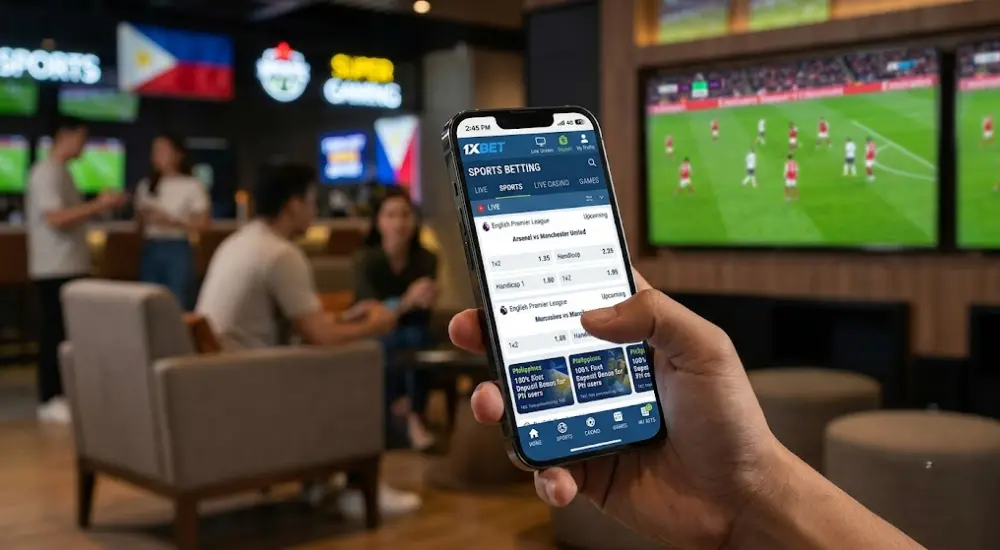
The 1xBet iOS platform supports pre-match sports, live markets, casino games, live dealer tables, and instant releases. The interface separates these products while keeping the wallet and account menu accessible..
Sports Betting
Football occupies a substantial part of the schedule. Users can also access basketball, tennis, volleyball, cricket, combat sports, ice hockey, esports, and other disciplines offered for the account region.
Pre-match pages can contain main outcomes, handicaps, totals, team markets, player statistics, cards, corners, and combined selections. Market depth depends on the competition.
The live section updates prices as the event develops. Users can follow scoreboards, statistics, and selected broadcasts. Suspended markets become unavailable while significant match incidents are reviewed.
Common bet types include:
- Match winner.
- Double chance.
- Draw no bet.
- Asian handicap.
- European handicap.
- Total goals or points.
- Both teams to score.
- Correct score.
- Team totals.
- Player markets.
- Accumulators.
- System wagers.
Live Casino
Live casino tables use streamed dealers and real-time betting rounds. Available formats can include blackjack, roulette, baccarat, poker-derived games, game shows, and regional tables.
Before joining a table, users should check:
- Minimum stake.
- Maximum stake.
- Table language.
- Side-bet rules.
- Payout schedule.
- Connection quality.
- Round timer.
- Game history.
- Provider rules.
- Device orientation.
An iPad provides more room for the video feed and betting controls. An iPhone remains practical for portrait tables, although smaller screens can compress statistics and side-bet menus.
Slots and Instant Games
Slot titles differ by reels, volatility, paylines, bonus rounds, stake limits, and return-to-player settings. The displayed game information should be checked before placing a real-money stake.
Crash and instant games use short rounds. Results occur quickly, so users should set a fixed session limit and avoid increasing stakes after a loss.
Mobile Experience
The native application offers quick switching between live events, favourite leagues, casino sections, transactions, and account settings. The PWA provides similar product access but may have fewer notification and biometric functions.
Streaming performance depends on network quality. Wi-Fi or stable 5G is preferable for HD video. Lower video quality can reduce data use and battery drain.
Responsible play remains necessary on mobile because continuous access can lengthen sessions. Users should establish deposit, stake, and time limits before beginning.

iPad Optimized Experience
The larger iPad display gives 1xBet for iOS more room for live events, statistics, betting markets, video streams, and an open bet slip. The interface requires less vertical scrolling than the iPhone layout. On supported devices, iPadOS can place compatible applications beside Safari, Notes, Messages, or another app. iPadOS 26 also supports resizable windows, window tiling, and Slide Over on compatible models. These controls are useful when checking team information while keeping a live market visible.
Larger-Screen Layout and Multitasking
The optimized tablet experience uses the extra screen area to display more event rows and market groups. Odds, match timers, scoreboards, and bet-slip selections remain readable without occupying the entire display. Retina resolution also makes small numbers, team names, and settlement details easier to inspect.
Split View on earlier iPadOS versions can position the iPad betting app beside another compatible application. Current iPadOS releases use a more flexible window system. Actual resizing depends on the installed app build and the iPad model. Apple expects iPad applications to adapt to changing window sizes, but individual developers control which layouts their applications support.
Useful iPad advantages include:
- More betting markets remain visible before scrolling.
- Larger fonts reduce errors when reading rapidly changing odds.
- A broader bet slip shows more selections and stake details.
- Live streams use a larger viewing area.
- Match statistics can remain open beside the betting interface.
- PHP amounts are easier to compare across balances, stakes, and possible returns.
- Window controls permit quicker movement between research and account functions.
The application supports live scores, changing odds, bet history, live events, account customization, push notifications, and two-factor account protection. These functions are available through the same account used on other supported devices.
Retina Scaling and Gesture Controls
Adaptive scaling should preserve button size and text clarity across standard iPads, iPad Air models, iPad mini devices, and iPad Pro screens. A horizontal device position normally provides more room for event lists and casino streams. Vertical positioning suits payments, account settings, and shorter betting sessions.
Touch gestures reduce menu movement. Users can swipe through sports categories, scroll long market lists, close temporary panels, and move between open applications. A trackpad or compatible keyboard can make repeated account management easier.
Apple Pencil can select standard interface elements where iPadOS permits pointer input. It may also help with notes opened beside the application. Official 1xBet materials do not document a dedicated Apple Pencil betting function. Users should therefore confirm every stake through the normal on-screen confirmation process.
iPhone vs iPad Performance
| Performance Area | iPhone | iPad | Practical Difference |
| Screen utilization | Compact single-window layout | Larger window with more visible content | The iPad shows more markets and statistics at once. |
| Live-stream area | Smaller video frame | Larger video frame | Match details are easier to inspect. |
| Bet-slip space | Limited vertical area | More selections remain visible | Complex multiple bets require less scrolling. |
| Multitasking | Rapid app switching | Side-by-side or resizable windows on supported models | Research can remain visible beside the betting screen. |
| Battery use | Smaller display may require less power | Larger display and streaming can increase consumption | Brightness and video quality affect session length. |
| Loading speed | Depends on model and connection | Depends on model and connection | No universal speed advantage applies to every device. |
| Text readability | Smaller odds and market labels | Larger interface elements | Long event names are easier to distinguish. |
| Casino streaming | Compact presentation | More room for tables and controls | Live dealer information is easier to follow. |
Loading time depends mainly on the processor, free storage, network stability, server response, and current app build. A recent iPhone may load faster than an older iPad. The larger device should therefore be judged by readability and multitasking rather than assumed speed.
Practical iPad Usage Tips
Keep the event page in the main window and place statistics or notes beside it. Do not open several live streams simultaneously because video playback can raise battery use, device temperature, and data consumption.
Use the same account credentials when moving between 1xBet for iPhone and iPad. Balances, settled bets, verification status, and transaction records belong to the account. Official app information does not identify iCloud as a dedicated bet-slip synchronization tool. Cross-device continuity therefore depends on signing into the same betting profile rather than relying on iCloud storage.
Before confirming multiple bets, check each market, odds value, stake, currency, and potential return. Larger screens reduce visual crowding but cannot prevent selection errors. Lock the iPad whenever it is left unattended, especially when biometric login remains enabled.
Troubleshooting 1xBet iOS App Issues
Common 1xBet for iPhone problems include rejected logins, delayed loading, missing notifications, failed updates, interrupted streams, and cashier status delays. The official compatibility information currently lists iOS 12 or newer, although iOS 14 or later provides a more practical baseline for current security functions. Check the current App Store card or official mobile page because regional builds may use different requirements.
Login Errors
Incorrect credentials, an expired session, two-factor authentication problems, or an incorrect device clock can block access.
- Confirm the registered email, telephone number, or account ID.
- Enter the password manually instead of using an outdated saved entry.
- Check that automatic date and time settings are active.
- Complete the requested two-factor verification.
- Reset the password through the official recovery screen.
- Contact support when the registered telephone number or email is no longer available.
Never send a password, complete payment-card number, one-time code, or recovery code through an unofficial message channel.
Slow Loading and Live-Betting Delays
Live markets require a stable connection because odds, scores, and availability can change within seconds.
- Change from mobile data to trusted Wi-Fi, or test another secure connection.
- Close unused streams and background applications.
- Force-close the betting application and open it again.
- Restart the iPhone or iPad.
- Check available device storage.
- Install pending application and operating-system updates.
- Lower stream quality when the connection fluctuates.
Do not confirm a live bet when the displayed price appears frozen. Return to the market and check the final odds before submitting the stake.
Updating the Application
App Store applications normally update automatically, but users can also update them manually from the account page. Apple recommends installing current iOS or iPadOS releases through Settings, General, and Software Update.
- Open the App Store.
- Tap the account photograph or account button.
- Open the available updates list.
- Select Update beside the application.
- Restart the device after installation when errors continue.
- Verify that the update came from the existing official listing.
Do not install an unsigned file, mobile configuration profile, or certificate received through social media, email, or a file-sharing service.
Clearing Stored Application Data
iOS does not provide one universal cache-clearing button for every application. Start by closing and reopening the app. When stored data appears damaged, use Offload App under iPhone or iPad Storage. This removes the application while retaining supported local documents. A complete deletion and reinstallation removes more local data.
Confirm the login details and two-factor access before removing 1xBet for iOS. Account balances and completed transactions should remain attached to the server-side profile, but locally stored preferences may need to be selected again.
PHP Deposit or Withdrawal Delays
A delayed PHP transaction does not always indicate an application fault. Processing can depend on the payment provider, account checks, verification status, transaction limits, banking hours, or a pending review.
- Open the cashier history and check the transaction status.
- Confirm that the amount meets the displayed minimum and maximum.
- Check whether identity verification remains incomplete.
- Compare the recipient details with the verified account information.
- Avoid submitting the same payment repeatedly.
- Save the transaction reference and payment receipt.
- Contact in-app support after the displayed processing period expires.
Notification Problems
Push notices may stop when permissions are disabled, Focus mode is active, or background activity is restricted.
- Open Settings and select Notifications.
- Find the application and enable Allow Notifications.
- Select the required lock-screen, banner, and sound options.
- Check Focus settings for blocked alerts.
- Disable Low Power Mode temporarily for testing.
- Open the app after an update to renew notification registration.
Troubleshooting Table
| Issue | Possible Cause | Step-by-Step Fix |
| App closes during live betting | Old build, low memory, damaged local data | Close other apps, update the build, restart the device, then reinstall when required. |
| Login request repeats | Expired session or failed 2FA | Check credentials, automatic time, verification codes, and password recovery. |
| Odds stop updating | Weak connection or suspended app session | Reconnect, reopen the market, and confirm the current price before betting. |
| PHP deposit remains pending | Provider review or interrupted confirmation | Check cashier history, avoid duplicate payment, and retain the reference number. |
| Withdrawal is delayed | KYC review, method rules, or account check | Complete requested verification and contact support after the stated period. |
| Push notifications are missing | Permission, Focus mode, or power restriction | Enable alerts, review Focus settings, and reopen the application. |
| App cannot be updated | Storage shortage or regional listing issue | Free storage, check the App Store account, and use only the official mobile page. |
| Stream freezes | Network congestion or high video quality | Change connection, lower video quality, and close other streams. |
| App is unavailable locally | Regional App Store distribution | Check the official mobile page and avoid unofficial installers or profiles. |
Persistent common 1xBet mobile errors should be reported through the in-app support chat. Provide the device model, iOS or iPadOS version, application version, error time, and a screenshot without visible financial or identity information.
Security, Legality & PAGCOR Notice
1xBet for iPhone includes account controls such as two-factor protection and supported biometric authentication. The official mobile information also describes protected connections and Face ID or fingerprint access on compatible devices. An App Store version passes through Apple’s application review and update channel, but App Store review does not replace local gambling authorization.
Account and Device Security
Face ID or Touch ID reduces repeated password entry, but biometric access should only be enabled on a privately controlled device. Keep the device passcode separate from the account password.
Recommended secure iOS betting practices include:
- Create a long password that is not used for email, banking, or social accounts.
- Activate two-factor authentication before depositing.
- Keep recovery codes outside the device.
- Install updates through the App Store or verified official page.
- Avoid public Wi-Fi during deposits, withdrawals, or identity checks.
- Check recent account activity after receiving an unexpected login notice.
- Sign out before lending or selling the device.
- Reject messages requesting passwords, one-time codes, or full card details.
- Do not install third-party certificates or device-management profiles.
- Verify the address before entering account credentials.
Apple reviews App Store applications for technical operation, privacy declarations, security measures, and regional licensing information. Apple also requires gambling services to be submitted by the appropriate legal entity. Approval in one App Store region does not establish legal permission in another country.
Philippine Legal and PAGCOR Notice
PAGCOR regulates authorized gambling operations within Philippine territory. Its official mid-July 2026 lists of accredited gaming administrators, registered brands, domains, and licensed-casino brands do not show 1xBet. The application should therefore not be presented as PAGCOR-licensed or PAGCOR-approved for domestic Philippine operations.
PAGCOR cancelled all offshore internet gaming licenses during December 2024 and warns that an offshore platform claiming current PAGCOR authorization may be fraudulent. The regulator also advises the public to use only authorized local platforms and states that participation in unauthorized gaming activities can carry legal consequences.
Philippine users should check the latest PAGCOR registered-brand lists before creating an account or transferring money. An international operating license does not constitute PAGCOR approval. Regional App Store availability also does not prove domestic authorization.
PAGCOR states that gambling is limited to people aged 21 or older in the Philippines. Users should set fixed deposit, loss, and session limits and should never use money needed for housing, food, debt, education, or medical costs.
Security Protocols and Risks
| Security Area | Protection | Potential Risk | Mitigation |
| Account login | Password, 2FA, Face ID, or Touch ID | Stolen credentials or shared device access | Use unique credentials and lock the device. |
| Application source | Official App Store or verified mobile page | Copycat application or altered profile | Reject messenger files and unofficial certificates. |
| Data transfer | Encrypted connection | Phishing page or unsafe network | Check the address and avoid public Wi-Fi. |
| Payments | Cashier records and account checks | Wrong recipient details or duplicate payments | Review every field and retain transaction references. |
| Notifications | Device-level permission controls | Sensitive information visible on the lock screen | Hide previews or disable lock-screen content. |
| Regional access | App Store availability controls | Mistaking availability for legal approval | Check PAGCOR authorization separately. |
| Device storage | Apple application isolation | Data exposure after device loss | Use a passcode, biometrics, and remote device controls. |
Safe use of 1xBet for iOS requires an official installation source, private account credentials, verified payment details, and current knowledge of Philippine gambling rules. Stop using the application when its identity, domain, certificate, payment recipient, or support contact cannot be confirmed.
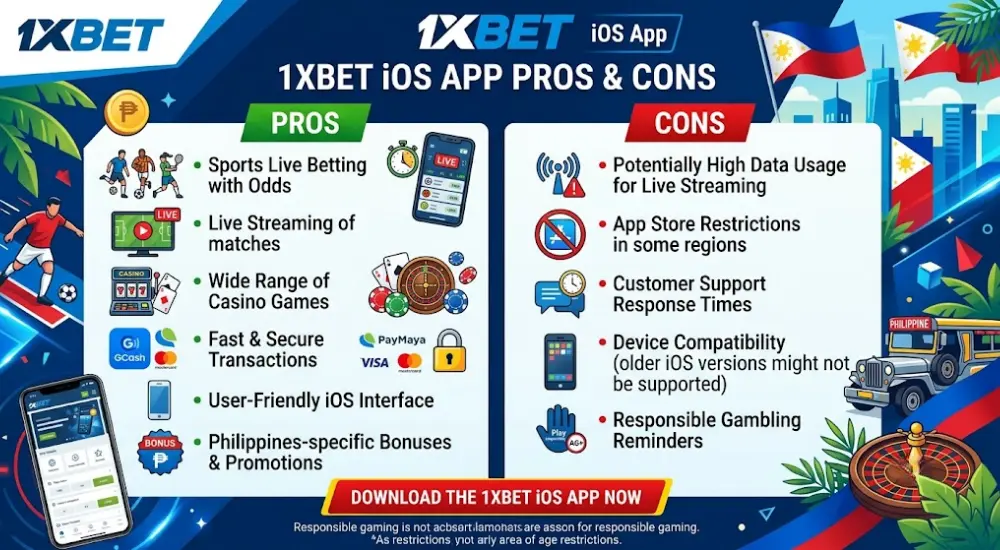
1xBet iOS App Pros and Cons
The 1xBet for iPhone and iPad application places sports markets, live betting, casino games, account history, payments, streams, and security settings inside one mobile interface. Its practical value depends on regional availability, device age, network quality, payment access, and the user’s legal eligibility.
Pros
- The touch interface provides direct access to sports and casino sections.
- Live scores and odds can update without repeated browser refreshes.
- Push notifications can report match events and price changes.
- The bet history remains connected to the same account.
- Two-factor protection adds another login checkpoint.
- Face ID or Touch ID may reduce password exposure on private devices.
- PHP balances, stakes, and possible returns can appear in the selected account currency.
- The iPad layout provides more room for statistics and betting markets.
- Supported iPads can run the application beside research or note-taking tools.
- App Store installations receive automatic updates by default.
- Account settings can be adjusted for preferred menus and payment options.
Official mobile materials confirm live odds, bet history, event coverage, notifications, interface customization, and two-factor account protection. Actual functions may vary between regional builds.
Cons
- The App Store listing may not be available in every region.
- Updates may temporarily require additional storage.
- Live video can consume considerable battery power and mobile data.
- Rapid odds changes require a reliable connection.
- Older devices may load complex live pages more slowly.
- Regional access restrictions can affect installation or account use.
- Payment availability may change according to account status and provider support.
- A larger iPad display can consume more power during long streams.
- App Store availability does not confirm PAGCOR authorization.
- Reinstallation may remove locally stored settings.
- Notifications may expose account information on an unlocked screen.
- Some iPad multitasking functions depend on the app build and device model.
The iOS betting advantages are strongest for users who value direct navigation, live information, notifications, and a larger tablet layout. The main tablet app drawbacks concern battery demand, regional distribution, internet reliance, and regulatory uncertainty.
Filipino users should compare these factors with their device, connection, payment method, and legal eligibility. The larger iPad format suits detailed market review, while the iPhone version suits shorter sessions. Neither format removes the need to verify odds, transactions, account security, and current PAGCOR information.
Conclusion
The 1xBet iOS app gives eligible Philippine adults a structured mobile route to sports betting, live markets, casino games, payments, bonuses, and account controls. The native version requires a compatible App Store region and currently needs iOS 15.0 or later. Its verified listing shows version 255.0 and an installation size near 260 MB.
The Safari PWA is the practical alternative when the application is absent from the Philippine store. Users should download only through official pages, verify current PHP payment methods, read active bonus terms, protect login credentials, and complete requested verification. Mobile access should be combined with fixed spending and session limits.